Fibre optic: Activation page is displayed – what should I do?
For fibre optic connections, there are two different technologies: BX and XGS. What you need to do depends on which technology is used in your case.
BX Technology – No action required
The line is activated automatically – you do not need to enter an activation code. Activation is done at 5:00 pm at the latest.
1Connect the router to the OTO socket
Connect the router to the OTO socket (fibre optic socket), usually on Plug 2.
2Switch on the router
In most cases the connection is active after a few minutes.
✓ Done!
The line is activated automatically – you don't need to do anything else.
XGS Technology – Manual activation required
You must activate the line yourself within 40 days.
1Connect the router to the OTO socket
Connect the router to the OTO socket (Plug 2).
2Connect to the router
Connect to the router via WLAN or LAN. In WLAN mode: disable mobile data on your smartphone.
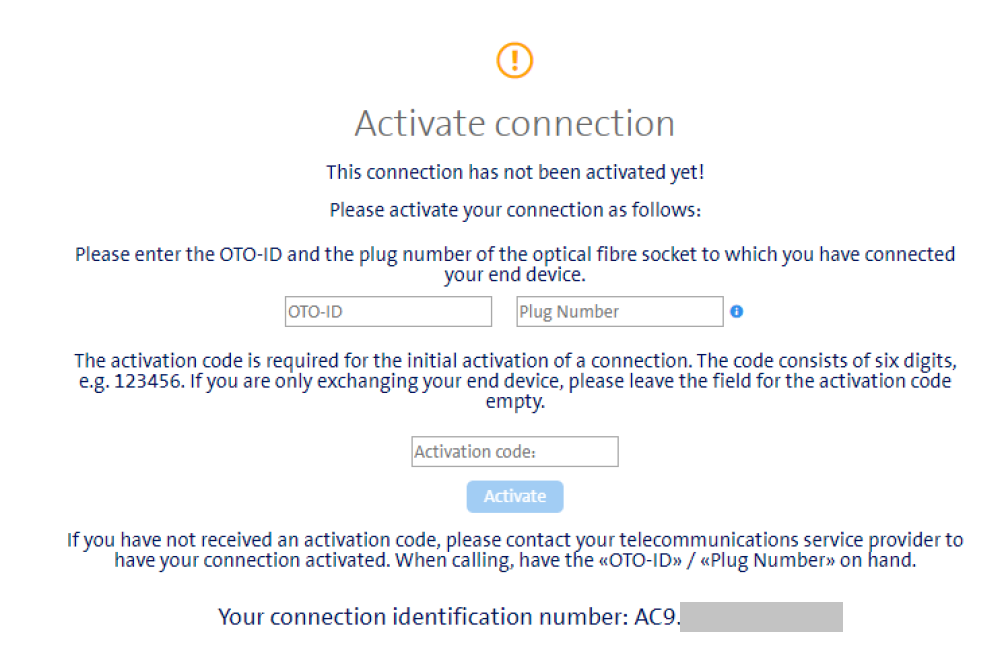
3Access the activation page
You will be automatically redirected to the activation page as soon as you access any page. Alternatively: Manually access the Swisscom activation page.
4Enter the following
• OTO ID (found on the fibre optic socket)
• Plug number: 2
• Activation code 1 (PON) for initial activation – received by email a few days after placing your order
• Activation code 2 (NSN) for later reactivation or router replacement – keep it safe, it is also your line connection number
ℹ Note
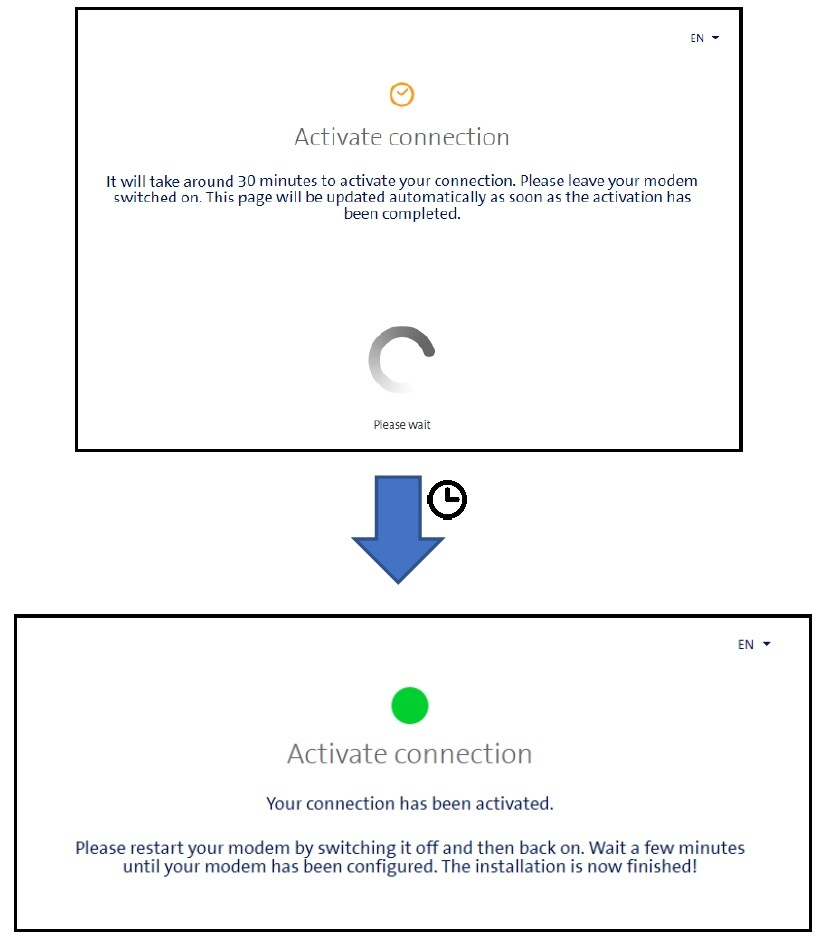
Activation can take up to 30 minutes. Please leave the router plugged in and switched on during this time.
How to tell if you have XGS or BX
| Technology | Distinguishing feature |
|---|---|
| XGS | Zyxel router or FRITZ!Box 5530 with XGS printed on the label |
| BX | FRITZ!Box 5530 without XGS marking or older models |
⚠ Important
After 40 days without activation, the line will be automatically cancelled – a cancellation fee of CHF 99.– will apply.
Frequently asked questions
I have not received an activation code – what should I do?
Please contact Teleboy Support and provide your customer number – we will resend you the activation data.
The activation page does not appear – what next?
Manually access the Swisscom activation page or restart the router (10 seconds without power, then reconnect – for fibre, use Plug 2 again).
For any questions: www.teleboy.ch/en/contact
Was this article helpful?
That’s Great!
Thank you for your feedback
Sorry! We couldn't be helpful
Thank you for your feedback
Feedback sent
We appreciate your effort and will try to fix the article